


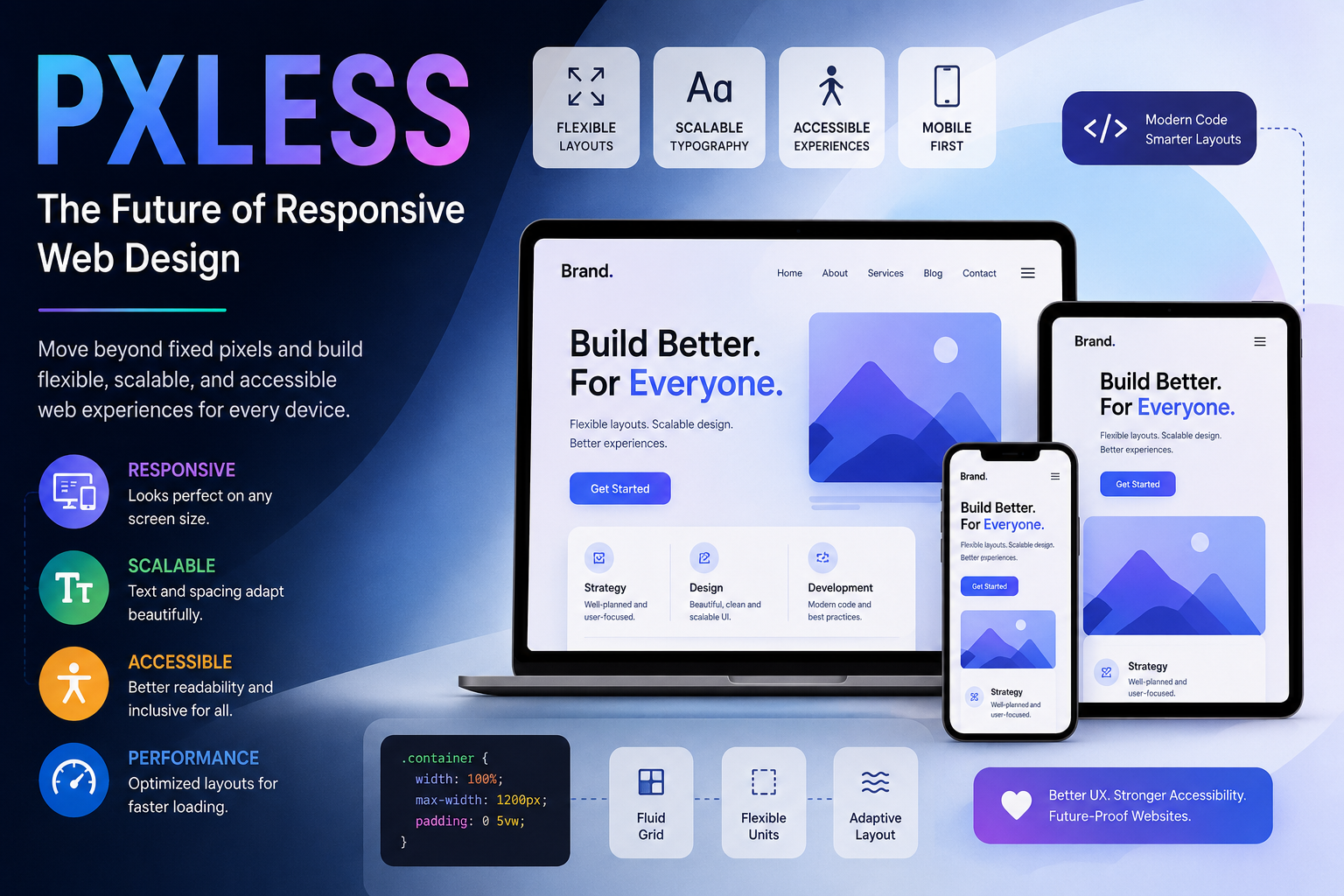
Modern websites are no longer designed for a single screen size. Users browse content on smartphones, tablets, laptops, ultrawide monitors, smart TVs, and even foldable devices. Because of this shift, web designers and frontend developers are moving away from rigid pixel-based layouts and exploring more flexible design systems. This is where the idea of Pxless becomes increasingly important.
Pxless represents a modern approach to web design that focuses on flexibility, scalability, responsiveness, and accessibility instead of depending heavily on fixed pixel measurements. Rather than forcing layouts into static dimensions, Pxless thinking encourages adaptive interfaces that naturally respond to different screen sizes and user needs.
For designers, developers, and digital product creators, this concept is becoming essential in building websites that feel smooth, usable, and future-ready.
What Is Pxless and Why Does It Matter in Web Design?
Pxless is often associated with Pxless design thinking. It does not mean pixels completely disappear from development, but rather that modern interfaces rely less on rigid fixed values and more on fluid structures.
Traditional websites were commonly built using exact pixel dimensions. A designer might define a container width of 1200px or use fixed spacing values everywhere. While this worked reasonably well in older desktop-focused environments, it creates limitations in today’s multi-device world.
Pxless design promotes flexible units such as percentages, viewport widths, relative typography, and scalable spacing systems. The goal is to create layouts that naturally adapt instead of breaking when screen sizes change.
This matters because user expectations have evolved. Visitors now expect websites to load quickly, resize smoothly, and remain easy to read regardless of device.
A modern e-commerce website, for example, must look clean on both a large desktop monitor and a compact mobile screen. Pxless thinking helps achieve this consistency without creating separate designs for every possible device.
How Pxless Design Moves Beyond Fixed Pixels
Fixed pixel layouts often struggle with responsiveness. Elements can appear too large on small screens or too cramped on wider displays. Pxless design solves this problem by introducing flexibility into every part of the interface.
Instead of assigning rigid widths, developers use responsive containers and scalable layout systems such as CSS Grid and Flexbox. Typography may use relative sizing like rem or em rather than static pixel values. Images can scale proportionally inside their containers instead of overflowing the screen.
This creates interfaces that feel more natural across different devices.
Consider a modern blog layout. In a traditional pixel-based system, the content area might stay fixed at a specific width, causing awkward spacing on mobile screens. In a Pxless-inspired design, the content dynamically adjusts according to screen size while maintaining readability and visual balance.
This flexibility also improves long-term maintainability. Developers spend less time fixing layout issues for individual devices because the structure is already adaptive by design.
Why Flexible Layouts Improve User Experience
Flexible layouts are not only about appearance. They directly impact usability, readability, accessibility, and overall engagement.
When a website adapts properly to screen size, users can navigate more comfortably. Text becomes easier to read, buttons remain accessible, and content maintains proper spacing.
Poorly scaled layouts often frustrate users. Tiny text, overlapping sections, or broken navigation menus increase bounce rates and reduce trust. Pxless design minimizes these problems by focusing on adaptability from the beginning.
Responsive Screens and Device Compatibility
One of the biggest advantages of Pxless design is device compatibility.
Users may switch between devices throughout the day. Someone might begin reading an article on a phone and continue later on a desktop computer. A responsive layout ensures the experience stays smooth across every screen size.
Modern frameworks like Bootstrap, Tailwind CSS, and CSS Grid systems support this flexible approach. Instead of designing for only one screen width, developers define responsive behavior that automatically adjusts content placement and spacing.
Streaming platforms provide a strong real-world example. Their interfaces resize seamlessly whether viewed on mobile devices, laptops, or televisions. This level of adaptability reflects Pxless thinking in action.
Scalable Typography and Spacing
Typography plays a major role in modern UI/UX design.
Fixed font sizes can create accessibility issues, especially for users with visual impairments. Pxless design encourages scalable typography systems that adapt according to screen size and user settings.
For example, relative units allow text to scale more naturally across devices. Headlines remain visually balanced while body text stays readable.
Spacing systems also become more consistent. Instead of manually assigning random pixel margins, designers create proportional spacing structures that maintain harmony throughout the interface.
This approach gives websites a cleaner and more professional appearance.
Accessibility and Better Readability
Accessibility has become an essential part of modern web development.
Pxless design supports accessibility by improving readability, adaptability, and interaction consistency. Flexible layouts help users zoom in on content without breaking the interface. Responsive typography improves readability on smaller devices. Better spacing enhances touch interaction on mobile screens.
Accessible web design is no longer optional for professional digital products. Search engines increasingly reward websites that offer strong usability and mobile-friendly experiences.
Organizations like W3C Web Accessibility Initiative and MDN Web Docs provide extensive guidance on building accessible and responsive interfaces.
Pxless vs Traditional Pixel-Based Design
The difference between the Pxless design and the traditional pixel-based design becomes clear when comparing flexibility.
Traditional design systems often prioritize exact visual control. Every element has fixed dimensions and strict positioning rules. While this may create consistency on a specific screen size, it becomes difficult to maintain across varying devices.
Pxless design focuses more on adaptable structures.
Instead of forcing layouts into exact measurements, it allows components to respond dynamically to available space. This creates a more fluid user experience while reducing maintenance complexity.
For example, a traditional fixed-width navigation bar may break on smaller screens, requiring multiple custom fixes. A Pxless-inspired responsive navigation system automatically rearranges elements depending on available width.
This approach aligns better with modern frontend development practices.
How Designers and Developers Can Use Pxless Thinking
Implementing Pxless principles does not require abandoning all pixel usage completely. Instead, it means using pixels strategically while prioritizing scalability and responsiveness.
Frontend developers can start by adopting responsive layout systems such as CSS Grid and Flexbox. Relative sizing units should replace unnecessary fixed values whenever possible.
Designers can build scalable design systems using reusable spacing rules, typography scales, and adaptive UI components.
A practical example is a SaaS dashboard interface. Instead of hardcoding every panel size, designers can create flexible cards that automatically resize according to screen width. This reduces layout problems while improving responsiveness.
Website owners also benefit from this approach because adaptive websites often perform better on mobile devices and provide a more professional user experience.
Modern UI/UX increasingly depends on systems that are flexible rather than rigid.
Why Adaptive Design Is Important for Modern Websites
The internet continues to evolve rapidly. New screen sizes, devices, and interaction methods appear every year. Websites that rely heavily on outdated fixed layouts may struggle to keep up with changing user behavior.
Adaptive design helps future-proof digital experiences.
Search engines prioritize mobile usability, page experience, and accessibility. Responsive websites are also easier to maintain because developers spend less time creating device-specific fixes.
From e-commerce platforms to portfolio websites, adaptive design improves usability and engagement across nearly every industry.
A modern travel booking platform, for instance, must support users browsing flights on mobile devices while also handling large desktop search interfaces. Flexible design systems make this possible without compromising usability.
Pxless thinking supports this adaptability by encouraging scalable structures instead of rigid layouts.
Final Thoughts: The Future of Pxless Web Experiences
Pxless represents more than a design trend. It reflects the broader shift toward flexible, user-centered digital experiences.
As web technologies continue evolving, responsive design, scalable UI systems, and accessibility-focused development will become even more important. Designers and developers who embrace adaptive thinking can build interfaces that remain effective across changing technologies and user expectations.
Modern users care about usability more than technical precision. They want websites that feel smooth, readable, and intuitive on every device. Pxless design supports that goal by moving beyond rigid layouts and focusing on flexibility, responsiveness, and accessibility.
For web professionals, this mindset is becoming a key part of creating future-ready digital products.
FAQs
1. What does Pxless mean in web design?
Pxless generally refers to a flexible design approach that reduces dependence on fixed pixel-based layouts and focuses on responsive, scalable web experiences.
2. Why are flexible layouts important?
Flexible layouts improve usability across different devices by adapting content, spacing, and typography according to screen size.
3. Is Pxless design useful for mobile websites?
Yes. Pxless principles strongly support mobile responsiveness, making websites easier to use on smartphones and tablets.
4. What technologies support Pxless design?
Modern technologies such as CSS Grid, Flexbox, responsive typography systems, and scalable UI frameworks help developers create Pxless-style interfaces.
5. Does Pxless improve accessibility?
Yes. Flexible layouts and scalable typography often improve readability, zoom compatibility, and overall accessibility for users with different needs.
